Poster Maker & Poster Designer
Read our comprehensive review of Poster Maker & Poster Designer. Discover how this Windows app simplifies graphic design for social media and events.
The Ultimate Solution for Quick, Professional Graphic Design
Imagine you are organizing a community event, launching a local marketing campaign, or trying to make your social media feed pop, but you do not have the budget for complex design software. This is where the Poster Maker & Poster Designer app comes in. Designed specifically for Windows, this software bridges the gap between professional design suites and simple, everyday editing tools, allowing you to produce stunning visuals in minutes.
Developed by Express Apps, the Poster Maker & Poster Designer app offers an intuitive workspace where users can combine photos, text, and graphic elements without a steep learning curve. Whether you need a polished business flyer or a casual photo collage, this application streamlines the entire creative workflow.
Versatile Collage Layouts and Custom Templates
One of the standout features of this graphic tool is its flexibility in handling layouts. Users can choose from two distinct design paths:
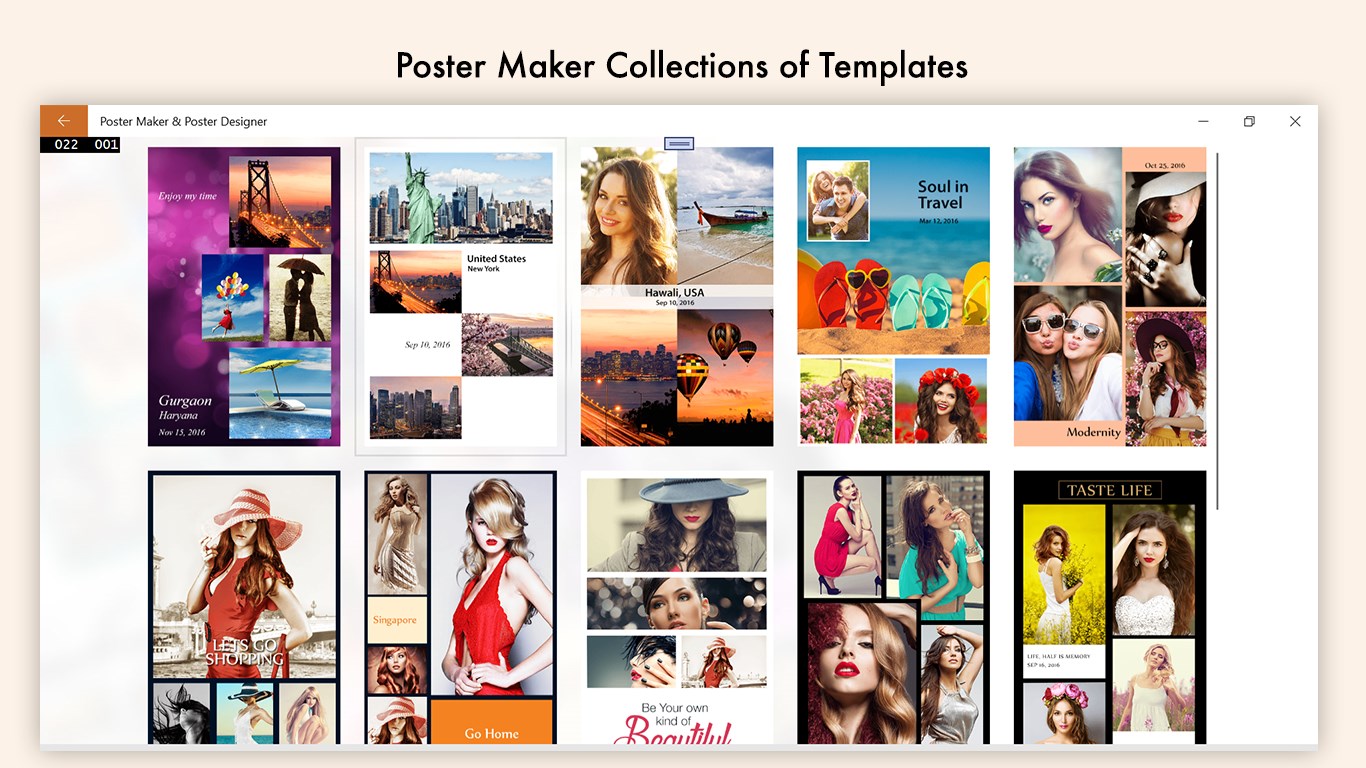
- Pre-Designed Templates: Skip the brainstorming phase entirely by selecting a professionally crafted template and customizing it with your own imagery.
- Multi-Photo Collages: Create custom arrangements featuring one to five photos. The app allows you to rotate, zoom, and crop individual images to fit perfectly within adjustable borders and stylish frames.
Robust Photo Editing and Creative Overlays
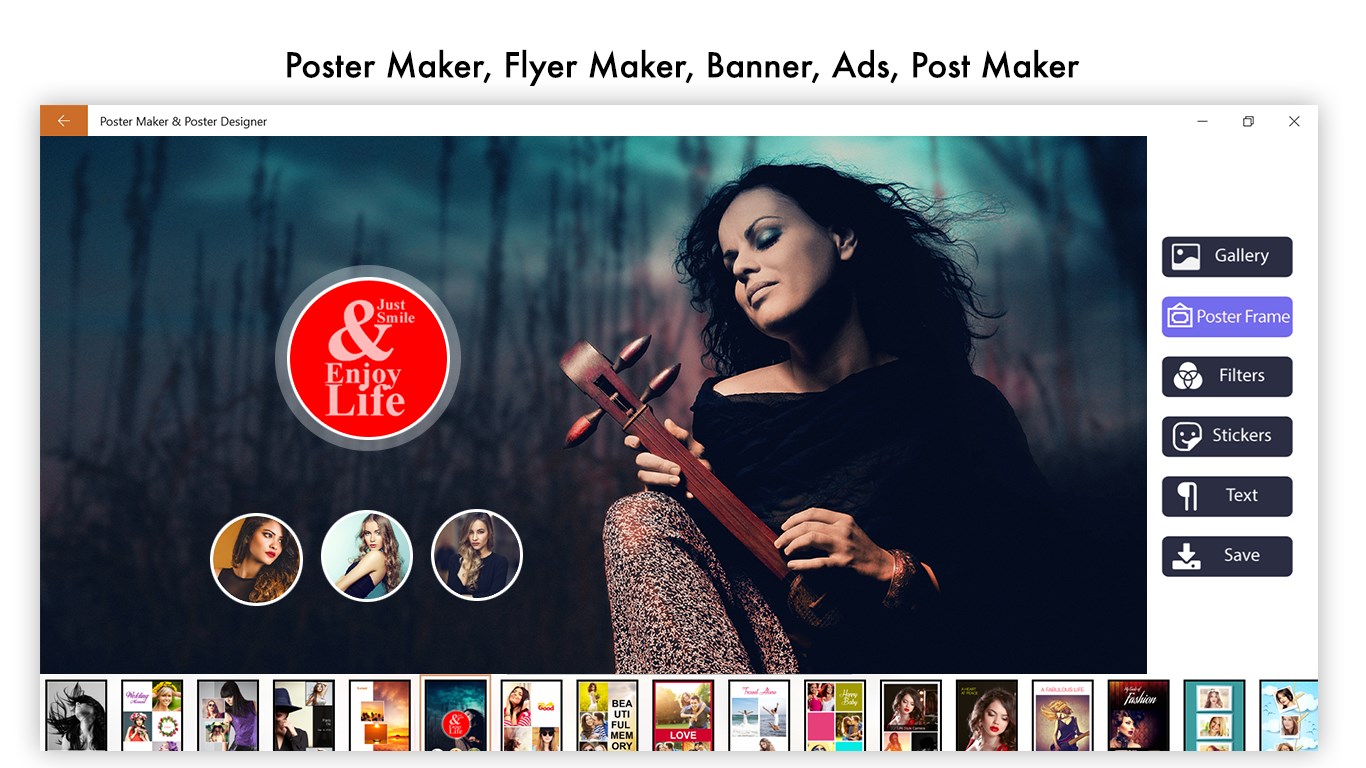
To ensure your posters look polished, the Poster Maker & Poster Designer app integrates a comprehensive suite of editing tools. Instead of switching between multiple applications, you can perform all your adjustments in one place:
- Color & Light Tuning: Fine-tune contrast, brightness, highlights, shadows, and overall color balance.
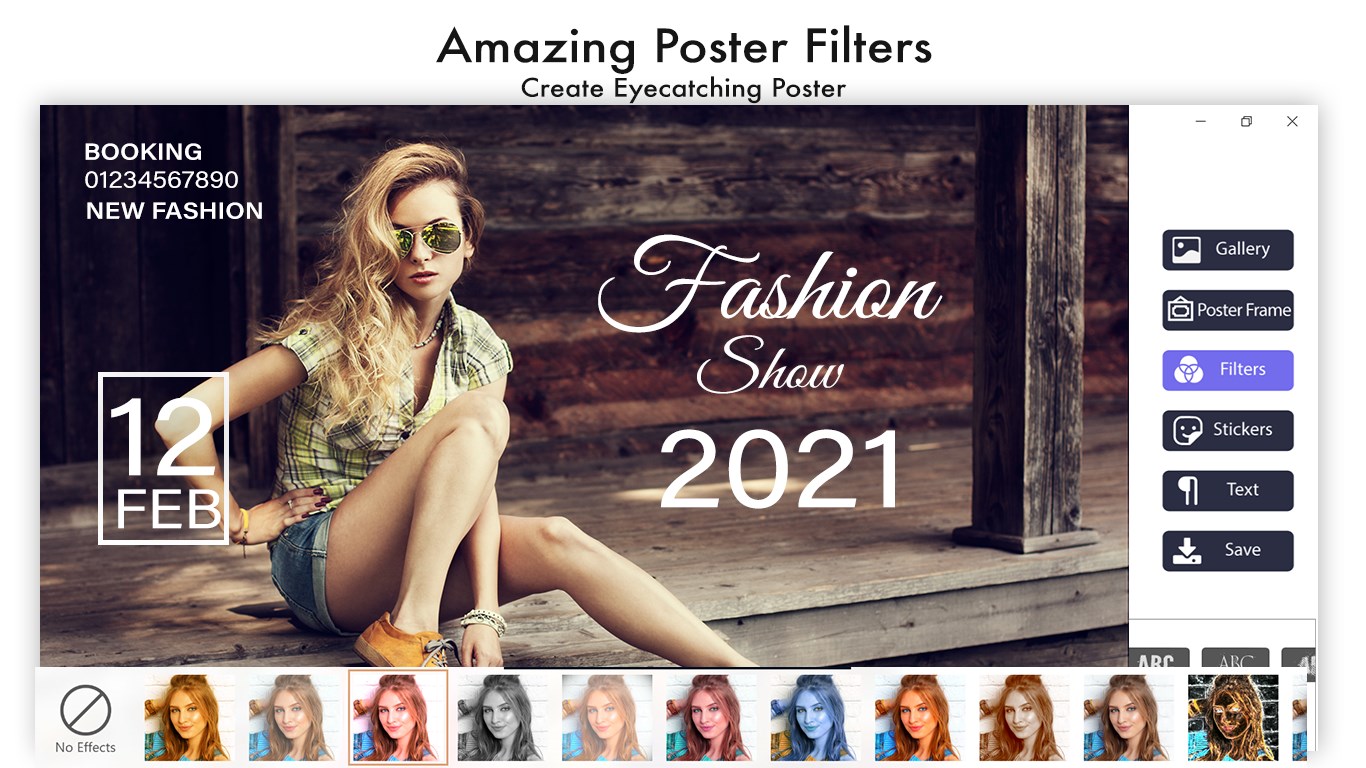
- Artistic Enhancements: Apply trending stickers, professional photo frames, and creative overlays to add depth to your designs.
- Interactive Drawing & Splash Effects: Draw directly onto your canvas or use selective splash effects to make specific colors pop against a monochrome background.
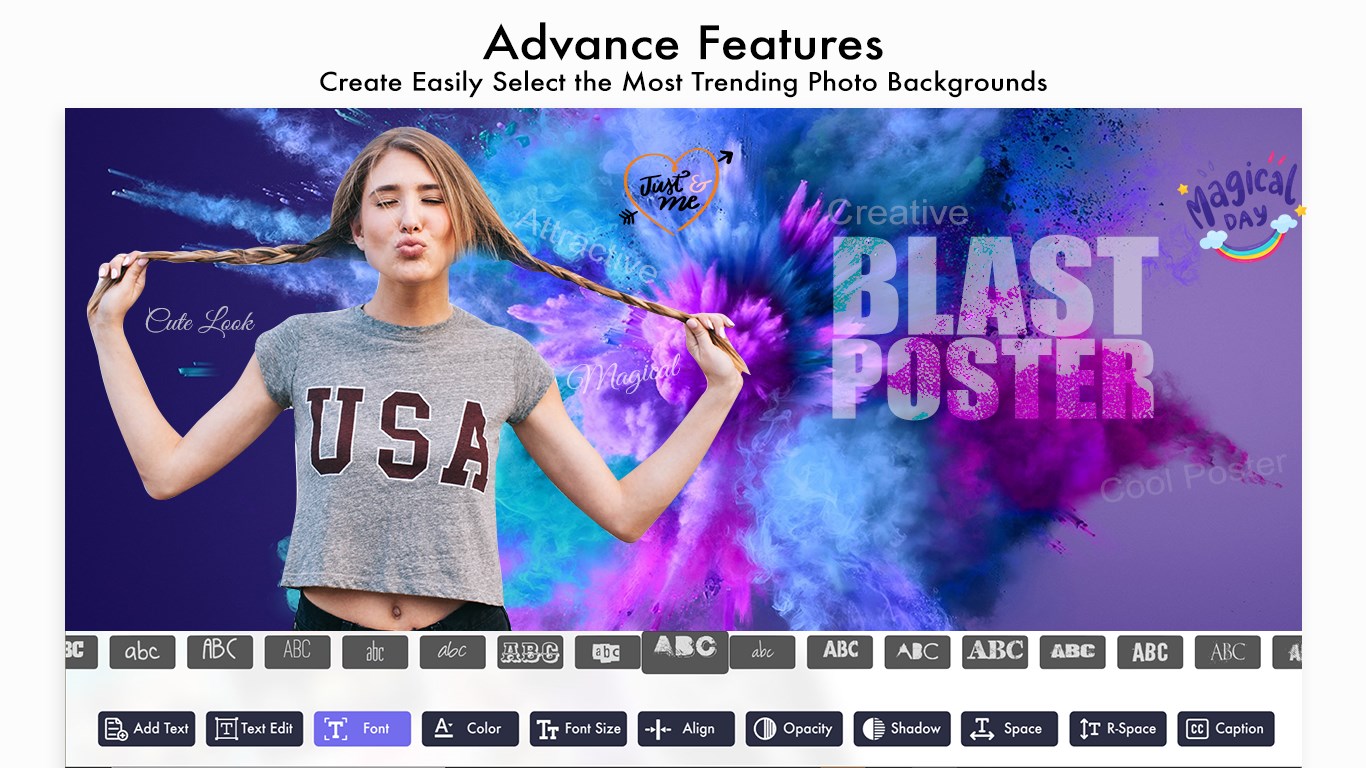
- Rich Typography: Add custom text overlays with adjustable fonts, colors, and backgrounds to deliver your message clearly.
Seamless Saving and Multi-Format Exporting
Once your design is complete, saving and sharing your work is remarkably straightforward. The application supports a wide range of export formats to match your specific needs, including high-quality PNG, JPG, BMP, SVG, PDF, and even dynamic formats like GIF and MP4. This makes it incredibly easy to prepare your designs for physical printing, email newsletters, or instant social media sharing.
Is It Right for You?
If you need a reliable, lightweight, and versatile design assistant on your Windows device, this application is an excellent choice. It eliminates the complexity of traditional design software while offering enough creative freedom to produce high-impact visuals. To explore its features and start creating your own graphics, check out the official Microsoft Store page to get started.